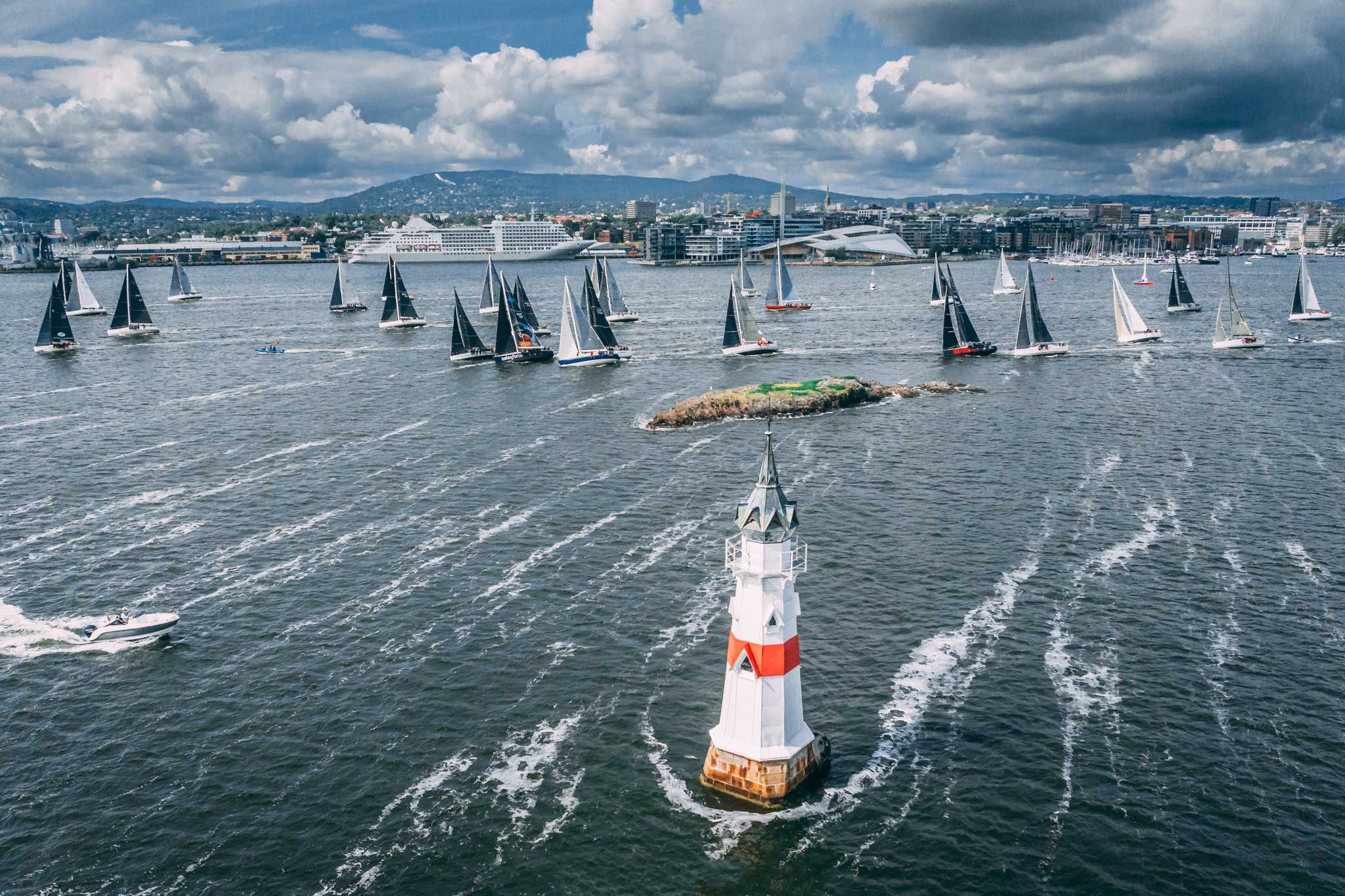
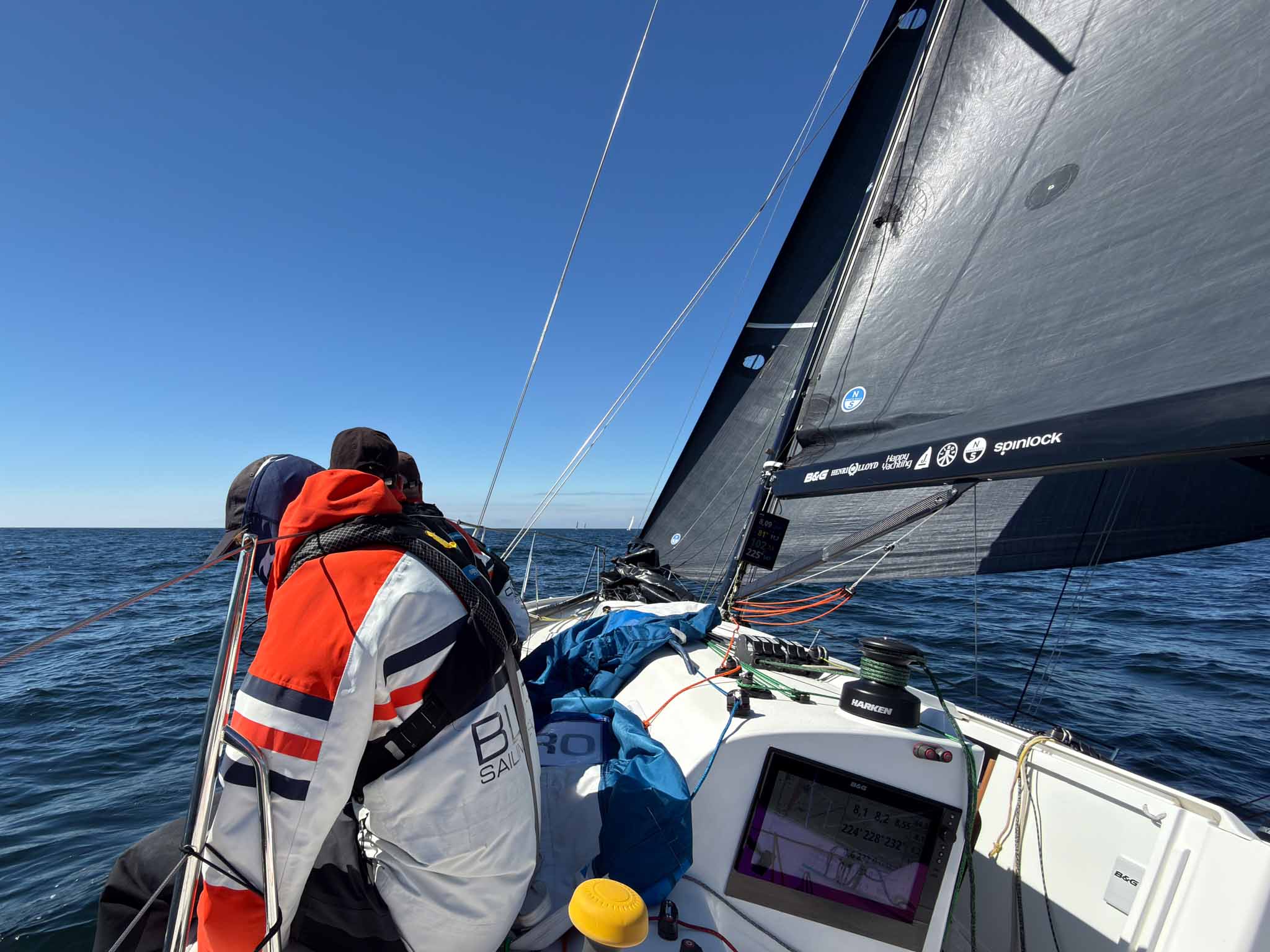
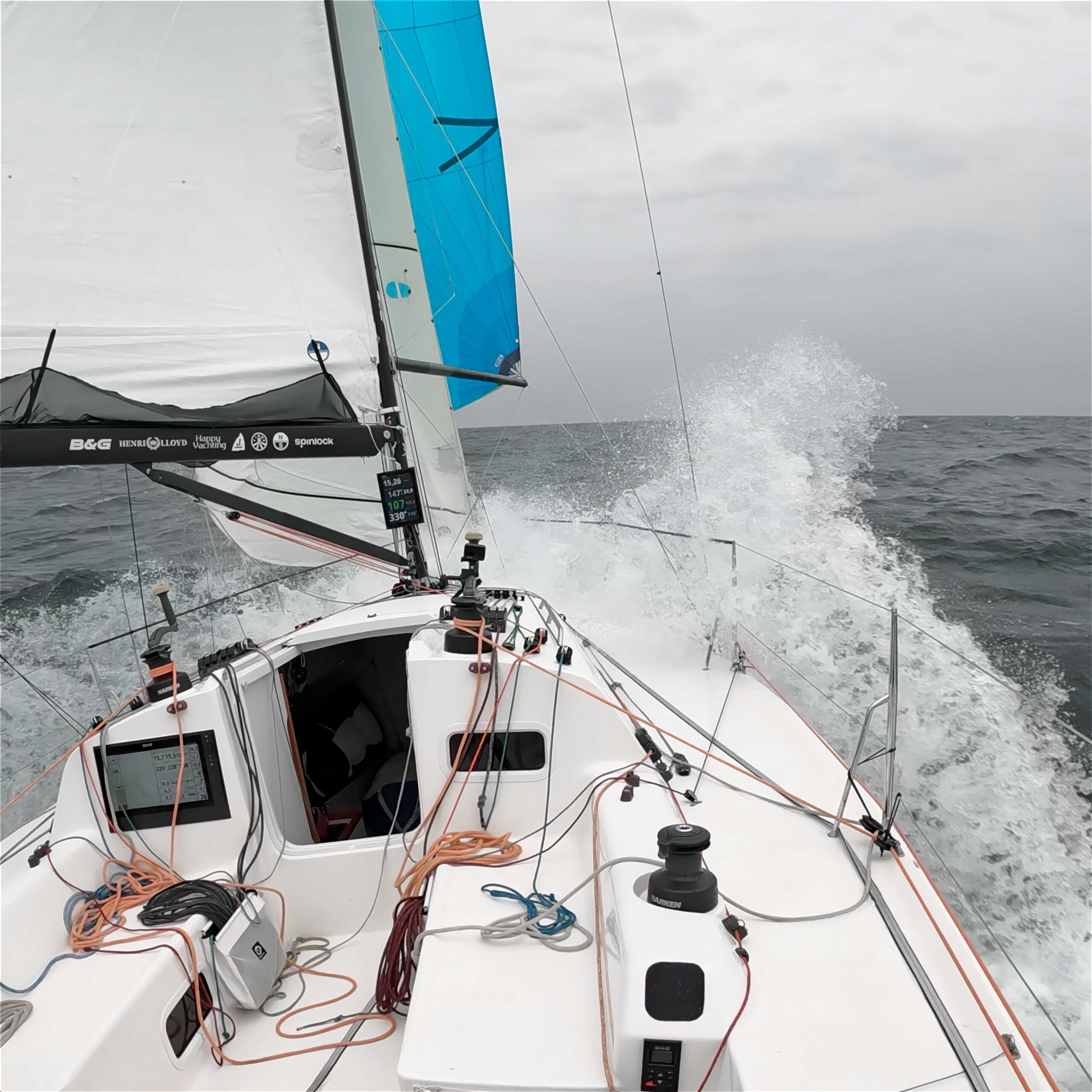
Highlights from the 50th-anniversary RORC Round Britain and Ireland Race 2026—1,805 nautical miles around Britain and Ireland and one of offshore sailing’s greatest challenges.
Featuring spectacular onboard footage, drone images from the start in Cowes, interviews with competitors before and after the race, and the story of overall winner Pace, this film captures the winners, the survivors and some of the extraordinary moments from the 2026 race. 32 boats. 182 sailors from five continents. 1,805 nautical miles. One epic race, held every four years.
For more than two weeks, the fleet raced around one of offshore sailing’s most demanding courses: Land’s End, the wild west coast of Ireland, St Kilda and Muckle Flugga, before turning south into the navigational challenge of the North Sea and English Channel.
The competitors faced Atlantic lows, wind holes, big seas and glassy calms. Boats surfed at more than 25 knots and, at other times, crews were forced to kedge at anchor against the tide. Sails were repaired, a boom shattered and sailors were pushed mentally and physically by fatigue.
There were also unforgettable encounters with wildlife—including an owl that became one of the unexpected stars of the race.
From Monohull Line Honours and the overall IRC victory for Johnny Vincent’s Volvo 70 Pace, to battles throughout the IRC classes and extraordinary stories from across the fleet, this is a taste of what it takes to race non-stop around Britain and Ireland.
Den 11 september kom beslutet. Norges Seilforbunds appellkommitté avslog Lars Helge Hatleviks överklagan av Færderseilasen 2026.
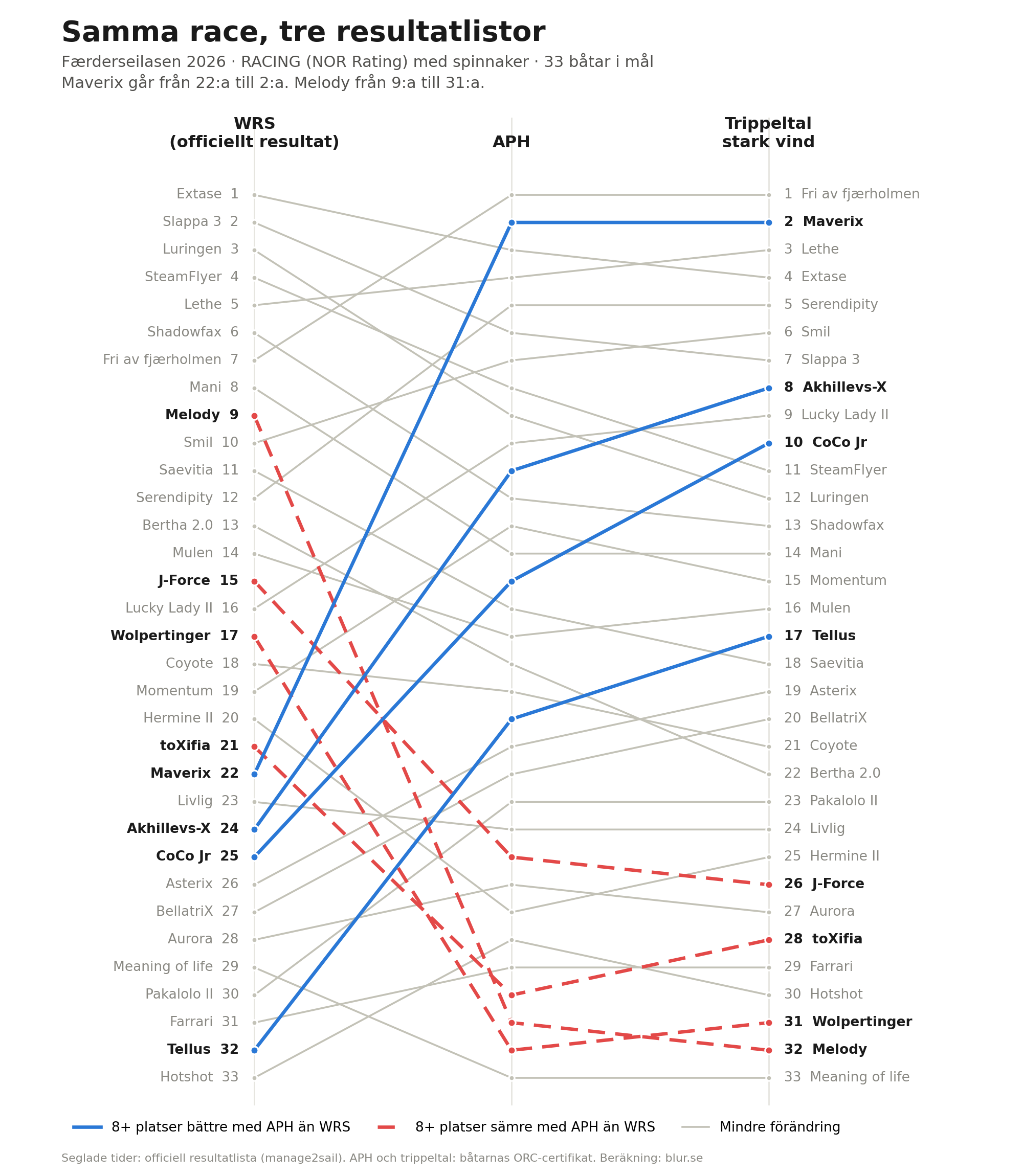
Resultatlistan från 13 juni står fast. Hatlevik och Hero 70 Miniton Don’t Panic från Gjøvik förblir sjua i sin klass. Med APH hade de varit tvåa. Med trippeltal stark vind hade de vunnit. Ganska stor skillnad!!!
Jag roade mig med att räkna om den klass som vi normalt hade seglat med J/99.
Jag hade tänkt skriva om detta medan överklagan låg på bordet. Nu blev det efteråt i stället. Och det är kanske bättre, för frågan bakom appellen blev inte mindre intressant av att den förlorade.
Jag nådde också ut till Lars Helge för kommentarer.
Hatlevik har varit här förut
Efter Færdern 2024 överklagade Hatlevik att arrangören använt fel ratingtal, OSN i stället för APH. Han förlorade två gånger i protestkommittén, gav sig inte, och vann till slut i appellkommittén. KNS fick räkna om samtliga 180 båtar i NOR Rating-klasserna. Fyrtio båtar bytte placering och tjugo fick andra priser.
Deja vu.
Den här gången handlade det inte om vilket ORC-tal som skulle användas, utan om Weather Routing Scoring i sig.
Principen
Skalar man bort tekniken vilade appellen på en ganska enkel tanke: om en arrangör räknar ett race med ett felprogrammerat Excel-ark och buggen upptäcks efteråt, diskuterar ingen särskilt länge om resultatet ska rättas.
Man rättar det.
Hatleviks argument var att ORC:s WRS-motor på Færdern 2026 i praktiken var samma sak: ett felprogrammerat kalkylark. Den tekniska bakgrunden var Nils Melsom Kristensens analys som vi publicerade här i juni: How can we fix the ORC WRS?
Fyra nästan identiska X-41 på samma race fick WRS-tal som skilde upp till 8,8 procent. Skillnaden gick inte att förklara med polarer eller prognos. I stället låg problemet i hur routingmotorn delade upp rutterna i segment och använde vinden vid segmentets början för hela sträckan. BarX fick till exempel ett segment på 18 sjömil från Mefjordbåen till Færder fyr på en bana på 88 sjömil. Systerbåtarna fick fler och kortare segment.
Det innebär att två i princip likadana båtar kan modelleras som om de seglat i olika vind, trots att de befinner sig på samma vatten samma dag. Det är svårt att vifta bort som en liten avrundning.
Sedan blev det ännu mer intressant
Den 5 september kom ett tillägg till appellen. På ORC-EM hade ORC:s Chief Measurer Zoran Grubiša hållit ett seminarium om WRS. Besättningen på Sons of Hurricanes frågade rakt ut om ORC kände till Nils fynd från Færder. Grubiša bekräftade att de gjorde det. Och att felet nu var rättat. Organisationen som driver systemet bekräftade alltså att felet fanns och att programvaran därefter ändrats.
Programmet var lagat.
Men resultaten står kvar.
Vad appellkommittén sa
Beslutet (Appellsak 2026-2) är kort och juridiskt rent.
Kungörelsen angav WRS. Genom att anmäla sig accepterade deltagarna villkoren enligt KSR 4.1(a). Seglingsledningen följde de regler som gällde för regattan och hade därmed inte begått någon felaktig handling eller underlåtenhet enligt 61.4(b)(1). Ingen regel föreskrev dessutom vilken vädermodell som skulle användas, så ECMWF låg inom ramen. Att TCF-listan publicerades flera timmar för sent var en formell miss, men bedömdes inte ha påverkat resultatet.
Så långt är beslutet ganska odramatiskt.
Det intressanta kommer under “Ytterligare kommentarer”, där appellkommittén skriver att systemet har förbättrats i efterhand och att man kan fråga sig om det var klokt att använda ett system som kanske inte var tillräckligt testat.
“At systemet i ettertid er forbedret, betyr ikke at alle regattaer som ble scoret med den forrige versjonen må scores på nytt. […] Det kan stilles spørsmål ved om det var lurt av arrangøren å benytte et system som kanskje ikke var testet godt nok, men det gir ikke grunnlag for godtgjørelse.”
Men det ger ändå ingen grund för gottgörelse.
Det är där den här historien blir intressant. Appellkommittén säger i praktiken två saker samtidigt: Systemet hade brister. Men arrangören gjorde inget fel genom att använda det. Hatlevik tar det själv som en halv seger.
“Jeg tar det som en halv seier, at Appellkomiteen i sine ytterligere kommentarer skriver at det ikke var lurt av arrangøren å bruke ORC Weather Routing.”
Kontrakt eller korrekthet?
Det är kanske kärnan här då två principer ställs mot varandra.
Den ena är kontraktets. Kungörelsen talar om vilka regler som gäller. Den som anmäler sig accepterar dem. Seglingsledningen som följer sin egen kungörelse gör inget fel, även om systemet som kungörelsen hänvisar till senare visar sig ha brister.
Det är en rimlig princip. Utan den skulle varje resultatlista riskera att bli en ny förhandling.
Även Hatlevik tycker att det är förståeligt att appellkommittén valde att vara formell. Ett annat beslut hade fått konsekvenser för samtliga regattor där Weather Routing har använts.
Den andra principen är korrekthetens. Om verktyget som räknade fram resultatet visar sig ha varit trasigt, och de som byggt verktyget senare bekräftar det, då är resultatet fortfarande fel. Oavsett vad som stod i kungörelsen.
Och för den typiske seglaren känns detta inte ok?
Två veckor tidigare hade samma fel funnits i Shorthanded NM på Askøy. Där valde arrangören att publicera nya resultatlistor efter att felet rättats. NM-medaljer bytte ägare.
KNS gjorde inte det.
Samma bugg. Samma säsong. Två olika beslut.
Och enligt appellkommitténs resonemang kan båda vara korrekta.
Det kan mycket väl vara juridiskt sant.
Men det betyder också att frågan om ditt resultat rättas när ett scoringsystem visar sig vara fel beror på vilken klubb som råkade arrangera racet.
Det känns inte hållbart i längden?
Är det så här vi vill att det skall funka?
Men vädermodellen då?
En annan del av appellen handlade om själva väderdatan. Seglingsledningen bekräftade den 12 juni att routingen kördes på ECMWF, en global modell. Hatlevik pekar på att Norge, Sverige och Finland samarbetar om MEPS för korttidsprognoser upp till 48 timmar.
“Dersom ratingtall for en regatta skal baseres på en værmelding, må det være den beste tilgjengelige værmodellen.”
I våra egna loggar från Gotland Runt såg vi att regionala HARMONIE-modeller — samma familj som MEPS — låg 1–3 knop närmare verklig vindstyrka och 10–20 grader bättre i riktning än de globala modellerna. Kustnära var skillnaderna större. Dvs ECMWF stämmer ganska dåligt nära land. Vi köer alltid routiung på modeller med högre upplösning.
Det här är viktigt av en enkel anledning.
Om ett WRS-tal ska räknas fram genom att låta en routingmotor segla båten genom en prognos, då är valet av vädermodell inte någon liten parameter i marginalen. Det blir en stor del av systemet för likadana båtar med nästan samma rating kan hamna i helt olika “väder” (som aldrig funnits i verkligheten).
Vad återstår?
Hatlevik drar en hårdare slutsats än jag.
“Når datamaskinen gir alle båtene forskjellige ruter, oppstår det både doble og triple følgefeil, som ved ujevne forhold får kolossale konsekvenser.” Med olika rutter blir det enligt honom omöjligt för seglarna att kontrollera det tal de tilldelas. Han menar att Weather Routing aldrig kommer att fungera.“
Så långt går inte jag. Under rätt förhållanden, och i händerna på en riktigt kompetent tävlingsledning, kan det funka mycket bra. Men i fel förhållanden, och oim man slarvar lite i användningen, så blir det väldigt fel.
Tre frågor hänger kvar.
En seglare kan fortfarande inte själv verifiera sitt WRS-tal.
Felet som ORC nu säger sig ha rättat är fortfarande inte dokumenterat offentligt, så det går inte att se vilka race som kördes med vilken version.
Och det finns fortfarande ingen tydlig regel för vad som ska hända med ett resultat när scoringsystemet i efterhand visar sig ha varit fel. Askøy räknade om. KNS gjorde det inte. Nästa arrangör får i princip göra sin egen bedömning.
Det sista kan vara på väg att förändras.
På ORC:s årsmöte i Las Palmas i november ligger elva submissions om WRS från Finland, Tyskland, Nederländerna, Norge, USA och ORC:s egen ledning. De handlar bland annat om obligatoriska fallback-metoder, publicerade vädermodeller, validerade segmentlängder och möjligheten att köra om en routing med identiska indata.
Finlands submission citerar Færder-analysen och X-41-exemplet nästan ordagrant. Det är vad Hatlevik menar när han säger att appellen i alla fall har “fått satt stort fokus på problemene med Weather Routing”.
“Alle problemene som har vært, og fortsatt er forbundet med Weather Routing, gjør at jeg blir overrasket dersom noen arrangør tør å bruke systemet flere ganger. Vi seilerne har fullstendig mistet tilliten.”
Så Hatlevik förlorade appellen.
Men frågan han ställde försvann inte.
Den ligger nu på ORC:s bord, omskriven som regelförslag.
Här är det viktigt att engagerade seglare pratar med sina ORC-delegater. Hur vill vi att detta skall funka framåt?
Submissions om WRS till ORC:s årsmöte 2026
FIN 2 – WRS fallback method: obligatorisk reservmetod, validering före, under och efter race. Citerar Færder-analysen.
For a Baltic doublehanded crew that means tides, the Channel and IRC, which is unfamiliar territory for us. We found some useful homework at Stuart Greenfield’s Substack FirstShift. Stuart has fifty years offshore, has navigated the Fastnet and the Middle Sea Race, and writes about what actually wins races rather than what sailors argue.
Five pieces to start out with
Offshore racing is now two sports. The entire IRC overall podium at the 2025 Fastnet was doublehanded. Stuart explains why that is a trend and not a fluke.
Storm in a very big teacup. World Sailing wants to restrict autopilots for boats with three or more crew. Doublehanded boats keep theirs, but the argument about who is actually sailing the boat is only starting.
After two seasons with the J/99, we’re pretty happy with our sail setup, and a lot of people have asked us for specifics.
So here goes: what we chose, why, and what the data says after a season that included Gotland Runt and the RORC Baltic Sea Race. Including the one crossover we still haven’t figured out.
Learnings from the Incidence sails
The boat raced as J Lance in France in 2024 with an Incidence inventory. The setup was the result of multiple J/99 campaigns and a two-boat development program with J/99 AxeSail and Incidence designer Jean-Baptiste Boullet. I had several discussions with both teams and Jean-Baptiste to really understand the thinking behind it, and what improvements and optimizations could be done.
We also made an early decision to race the 2025 season without changing anything. Many teams rush to configure a new boat based on prior experience, but we saw this as a unique opportunity to learn from two of the best J/99 teams in the world. And then build on those learnings. This, together with our 35 000 nm in the J/111, would give us a unique perspective.
The Incidence wardrobe was fast, and we proved that by winning both Marstrand Big Boat Race and Færderseilasen. But it was put together for a different program: full crew, French coastal racing, with a J1, J2 and J4, a small code and an A5 that were great for what they were built for. Our program would focus on doublehanded offshore racing. We also had to consider the lighter Scandinavian conditions.
So none of the old sails survived. Not because they were slow, but because the structure was wrong for us. What we learned from a season with them was simple: we didn’t need more sails, we needed fewer sails with more range.
For 2026 we started over with North Sails Gothenburg. Here’s what we chose, why, and what the data says after a season that included Sandhamn Open, Gotland Runt and the RORC Baltic Sea Race.
As a side note, it’s always kind of scary to leave something that’s working very well. We were very fast with the Incidence sails, and I had a few moments during the winter wondering if we had made the right decision…
Doublehanded priorities
The brief to North was short:
We wanted to be all-round, to match the J/99 performance profile.
We wanted as few sail changes as possible, which means big overlaps between sails.
We wanted redundancy if something happened to a specific sail.
We landed on one full-size jib on soft hanks. One heavy-weather jib with a reef. A main with a deep second reef. A downwind sail besides the S2 for more wind that could also do other jobs. And something to plug the hole in light VMG and reaching.
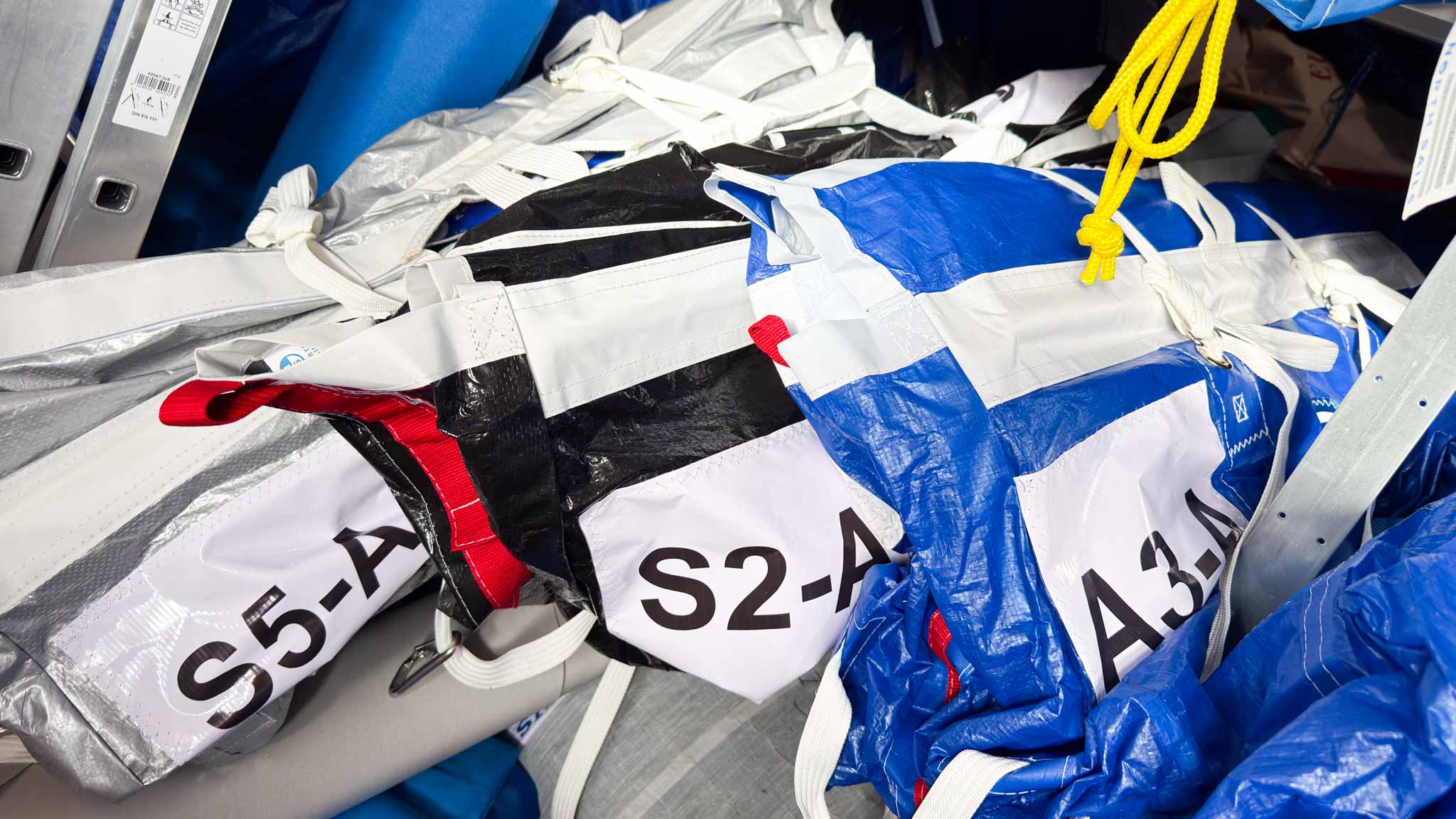
HELIX structured luffs are a big part of maximizing the overlap, because cunningham tension on the jib buys range that used to require a different sail. The same thinking runs through the downwind inventory, where S2, A3 and S5 are meant to bleed into each other rather than have narrow crossovers.
The J/99 is good upwind in 10–25 knots and on a medium-air run. The wardrobe should make it better at what it already does, and remove the weak spots, rather than chase conditions it will never love.
Two things we said no to. A staysail, because IRC counts headsails and because a staysail only pays if somebody trims it, which is hard doublehanded. And an A6 on the pole, which was the alternative to the S5. We judged the fractional S5 more all-round: it can do the A6’s job in a blow, and it can stand in for the S2 if the S2 blows up.
Rating considerations
Since all the big 600 nm races are run under IRC, this was the main priority. With the J/111 we continuously adapted the boat to whatever rule we were racing (SRS, NOR Rating, DH, ORC, IRC, ORR, PHRF…), which was expensive and time consuming. This time we’ll stick to IRC and hope it works in whatever rule we end up racing.
For us this means:
as few jibs as possible
no staysails
moderate downwind area
shorter sprit (STL = SPL)
possible to mix and match symmetrical and asymmetrical kites.
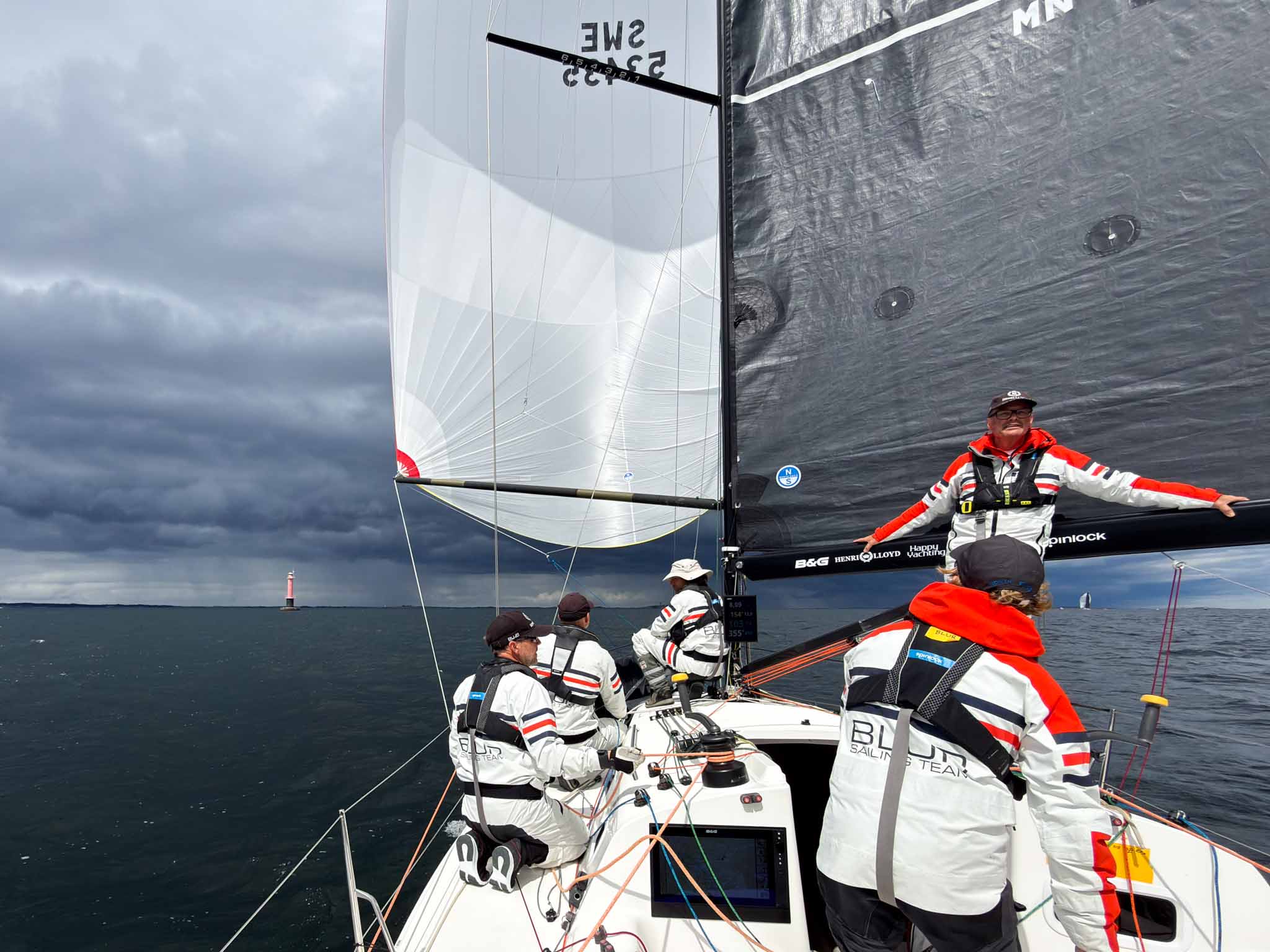
Finally getting into the groove after the start in Gotland Runt.
Upwind sails
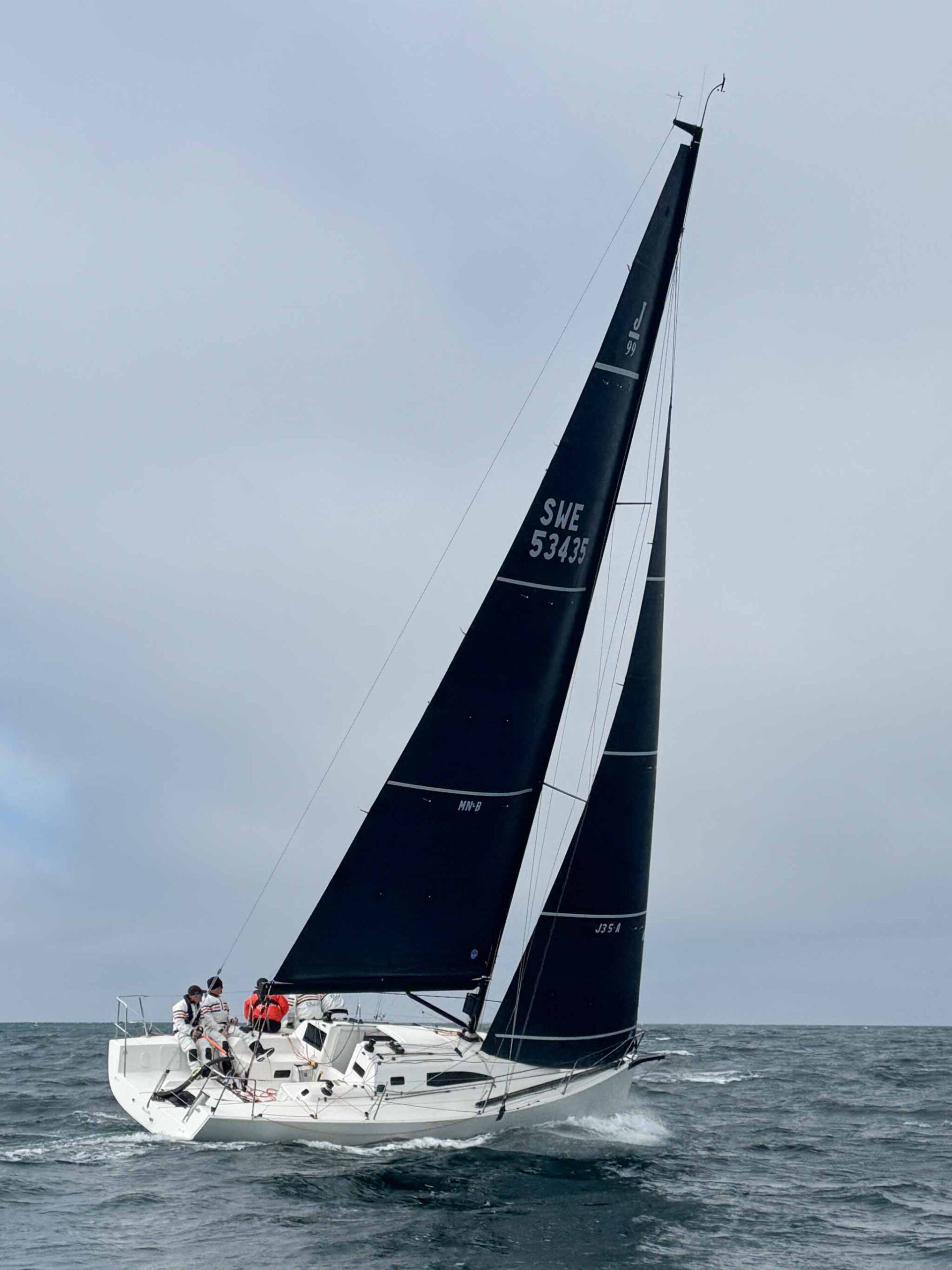
The J/99 is a mean upwind boat; it points well and is pretty easy to sail to its targets. Especially compared to the J/111, which was very sensitive to both trim and steering. This makes the J/99 a much better doublehanded boat. The challenge is to shift gears throughout the wind range without too many costly sail changes.
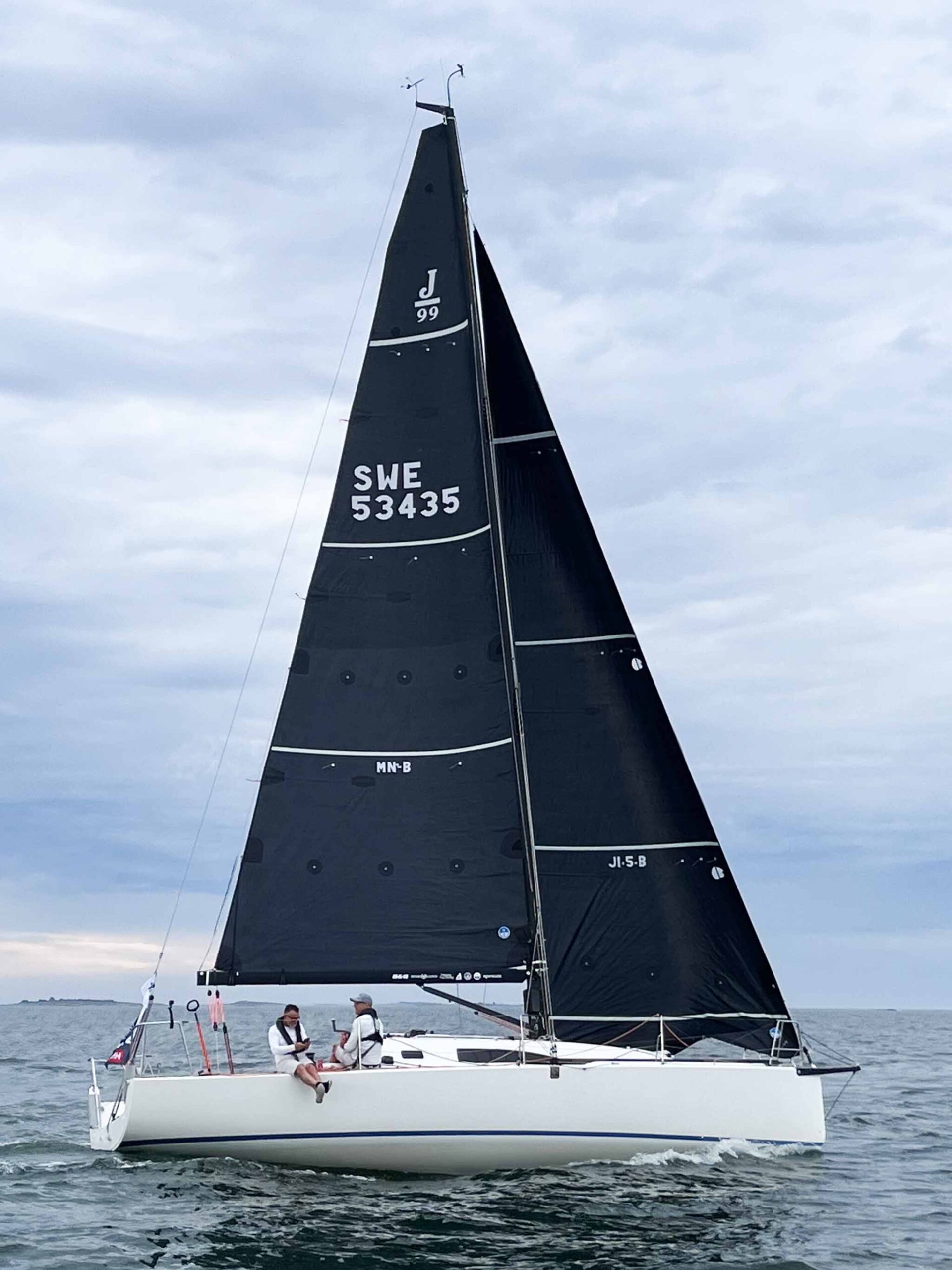
Mainsail MN-B
Material
North 3Di RAW 870, 12,600 Dpi
Measurements
P / E = 12.70 / 4.33 m MGT / MGU / MGM / MGL = 1.13 / 1.75 / 2.76 / 3.58 m
Full main to 22 kt Reef 1 ~18–26 kt Reef 2 ~29–40 kt
Pretty much standard dimensions and very similar to the Incidence main. The reefs are where the doublehanded thinking shows. Reef 1 is maybe 30 % bigger than a normal first reef. Reef 2 is pretty much a reef 3 on a fully crewed boat, because with two people you reef earlier and want each reef to last longer. In practice reef 1 goes in around 18–20 knots upwind. This is very similar to what we had on the J/111. I’m always surprised how often we end up with reef 2…
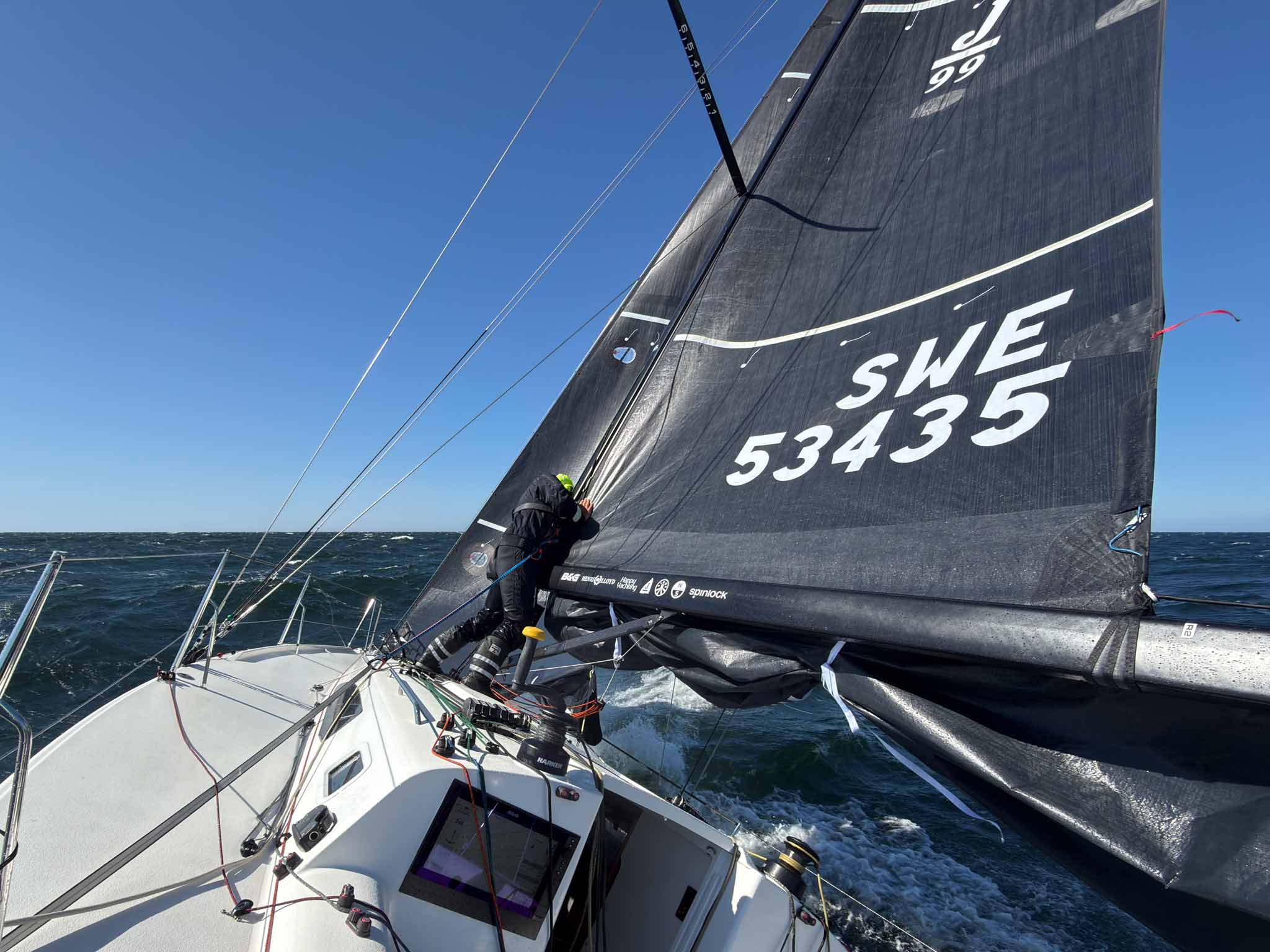
If you look at the sail above you can see that it has what North Sails call “NW Reef Zone”, an Endurance-type outer layer that makes the sail more durable when reefing.
J1.5-B
Material
North 3Di RAW 870, 14,700 Dpi
Measurements
I / J / LP = 13.21 / 3.88 m / 103 % Luff / LPG = 12.59 / 4.02 m JGT / JGU / JGM / JGL = 0.62 / 1.15 / 2.12 / 3.08 m
One jib from 4 to 20 knots. Challenging from a design point of view, but that’s the whole point. The J1.5 is where a J1 and a J2 used to be, and HELIX is what makes it possible: ease the cunningham in light air for depth and power, crank it on in 12–16 knots and the draft moves forward and the sail flattens without changing anything else. It’s on a halyard lock, which makes this even more powerful.
It also has a reef, but that’s mostly for emergencies; think front passage with 30 minutes to the mark. Not the ideal place for a sail change.
Soft hanks to keep things light. Also, you know the jib is going to stay on the boat when you lower it. It makes sail changes harder, but it’s a trade-off we’re willing to make.
Checking out J3.5 at North Sails Clinic before Marstrand Big Boat Race in May.
J3.5-A Heavy Weather Jib
Material
North 3Di RAW 360 (aramid/polyester), 16,800 Dpi
Measurements
I / J / LP = 13.21 / 3.88 m / 103 % Luff / LPG = 11.22 / 4.04 m JGT / JGU / JGM / JGL = 0.61 / 1.11 / 2.08 / 3.08 m
Area
23.59 m² (OSR max HWJ 23.57 m²)
Details
HELIX structured luff NW Reef Zone Reef, soft hanks, padded clew w T-ring E-glass battens
Range
15–40 kt
Built to the OSR limit as a heavy-weather jib, so it doesn’t count towards the number of jibs you bring. Low aspect rather than tall and narrow, and it ends up with the exact same sheeting position as the big jib.
RAW 360 polyester rather than 870, because the sail lives in the bottom of the boat 80 % of the season and needs to withstand some serious abuse. It also has the NW Reef Zone, like the main. With the reef it covers most of what the weather can throw at us, short of the storm jib. We made it a little fuller to overlap with the J1.5 in flat water and to give us more punch in a seaway.
Great theories meet reality in this year’s RORC Baltic Sea Race.
Bags in different colors is a great way to separate them when it’s messy below.
Downwind sails
As many of you know, putting together a balanced downwind inventory is hard. No matter what you do, there’s always a new sail that would make it even better. We also see boats with very few downwind sails doing really well, and others with a full container also performing really well. There are no right answers.
Naturally, a lot of the same reasoning went into our downwind inventory. One big difference is that many of the lessons from the J/111, a sportier planing boat, had to be unlearned in this project.
A great opportunity to benchmark the Code 0 vs the jib top on First 36.7 Pro4U.
Code 0 (C0-24)
Material
North 3Di Downwind 706, 8,820 Dpi
Measurements
SLU / SLE = 14.25 / 12.67 m AMG / ASF = 4.84 / 6.45 m (mid girth 75%)
Area
57.90 m²
Weight
17.8 kg complete with cable and furler
Details
HELIX structured luff Karver KFR1.5 racing + KTS1.5 spi adaptor (top-down) Counts as asymmetric in IRC
Range
0–28 kt, TWA 75–125
The Code 0 is first and foremost a light-air weapon on any angle from 75 to 110, and with the top-down setup it furls reliably even when conditions get fruity. Seventeen kilos in the bag is real weight on a 3,900 kg boat, but it’s the sail that gets us moving.
In many rating rules you’re allowed to tweak the mid girth to get a more upwind-oriented shape. On the J/111 we experimented with 50 and 55 %, which made sense on a faster boat, but in IRC you’re pretty much stuck at 75 %. These used to be pretty terrible sails, as it’s hard to get the shape right in such a wide sail. But with modern technology like HELIX structured luffs and new materials, they have become really useful.
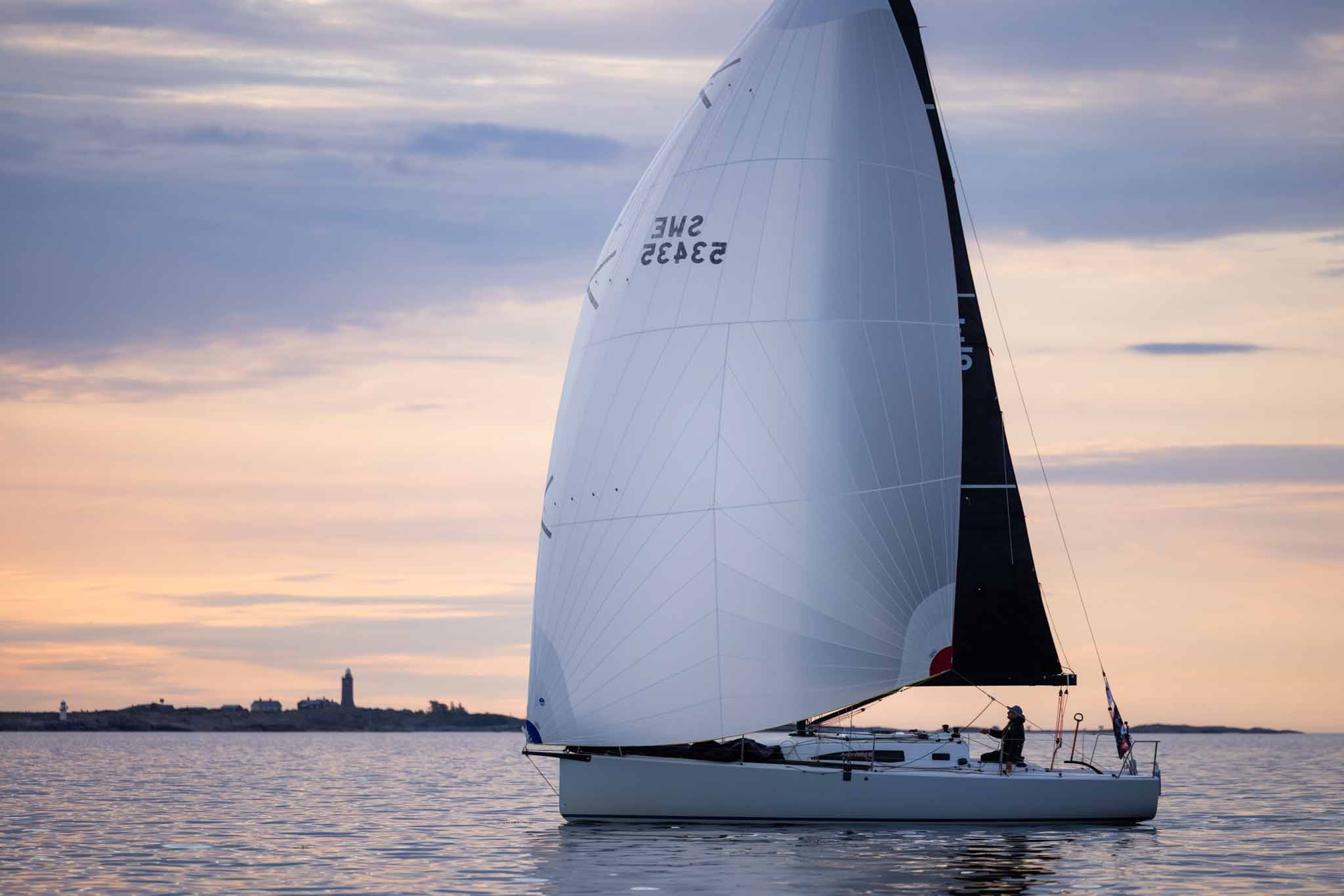
Looks serene. But Gotland Runt was one of the most stressful finishes of my life.
A3-A
Material
Aerotech Polyester P45–P40
Measurements
ISP / SPL = 14.31 / 4.60 m SLU / SLE = 15.40 / 13.60 m AMG / ASF = 7.31 / 8.13 m
Area
90.62 m² (ORC asym 90.31 m²)
Weight
7.4 kg
Details
Gybulator, trim chevrons, ZipIt
Range
0–30 kt, TWA 105–150
This sail plugged a big hole for us: light and medium wind reaching, where the old A5 was too small, and light air VMG running, where we felt a longer luff would give us more power. The photo above is from the last leg of Gotland Runt, which turned into a 2–5 knot VMG run.
We chose polyester over nylon because it holds its shape better at tight angles (see below). We had tested a jib top in the same material on the J/80 Han Solo and were very happy with the performance.
Aerotech P vs N
What it is
Aerotech is North Sails’ woven downwind cloth, launched in 2024 after three years of development with a textile partner. It comes in two fibres: Aerotech P (polyester) and Aerotech N (nylon). It replaces the older NPC Downwind range for racing spinnakers.
Aerotech P (polyester)
Built for high-load asymmetrics sailed at tight angles and high apparent wind: A3-type reachers and anything that spends its life with the leech loaded. Polyester stretches less than nylon and holds its designed shape under sustained pressure, so the sail keeps its draft position when powered up. The trade-off is that it’s heavier for a given strength and less forgiving of shock loads and collapse-and-fill cycles (really bad in choppy seas).
Aerotech N (nylon)
Built for wider-angle asymmetrics and symmetrics: runners and VMG sails. Nylon is lighter for a given strength and has more give, so it flies in less wind, absorbs shock loads better, and survives the collapses that come with deep angles.
The numbers
P45–P40, N37–N32 and N55–N45 are cloth weights in grams per square metre. Two values because each sail is built with a heavier cloth in the high-load areas (head, clews, leech) and a lighter cloth in the body.
On Blur
A3 in P45–P40: a light polyester reacher that holds shape on a tight angle. S2 in N37–N32: a light runner nylon. S5 in N55–N45: heavy-air nylon for a fractional kite that has to survive 30 knots and the occasional swim.
Why it matters
North’s argument is that modern boats on sprits spend far more time at tight angles and high apparent wind than the old nylon assumptions allowed. 3Di solved that for codes and flying sails; woven cloth for A3-type sails hadn’t moved in decades. Aerotech P is the answer to that gap. Nylon still wins where the sail needs to fly light and forgive mistakes, which doublehanded is most of the time.
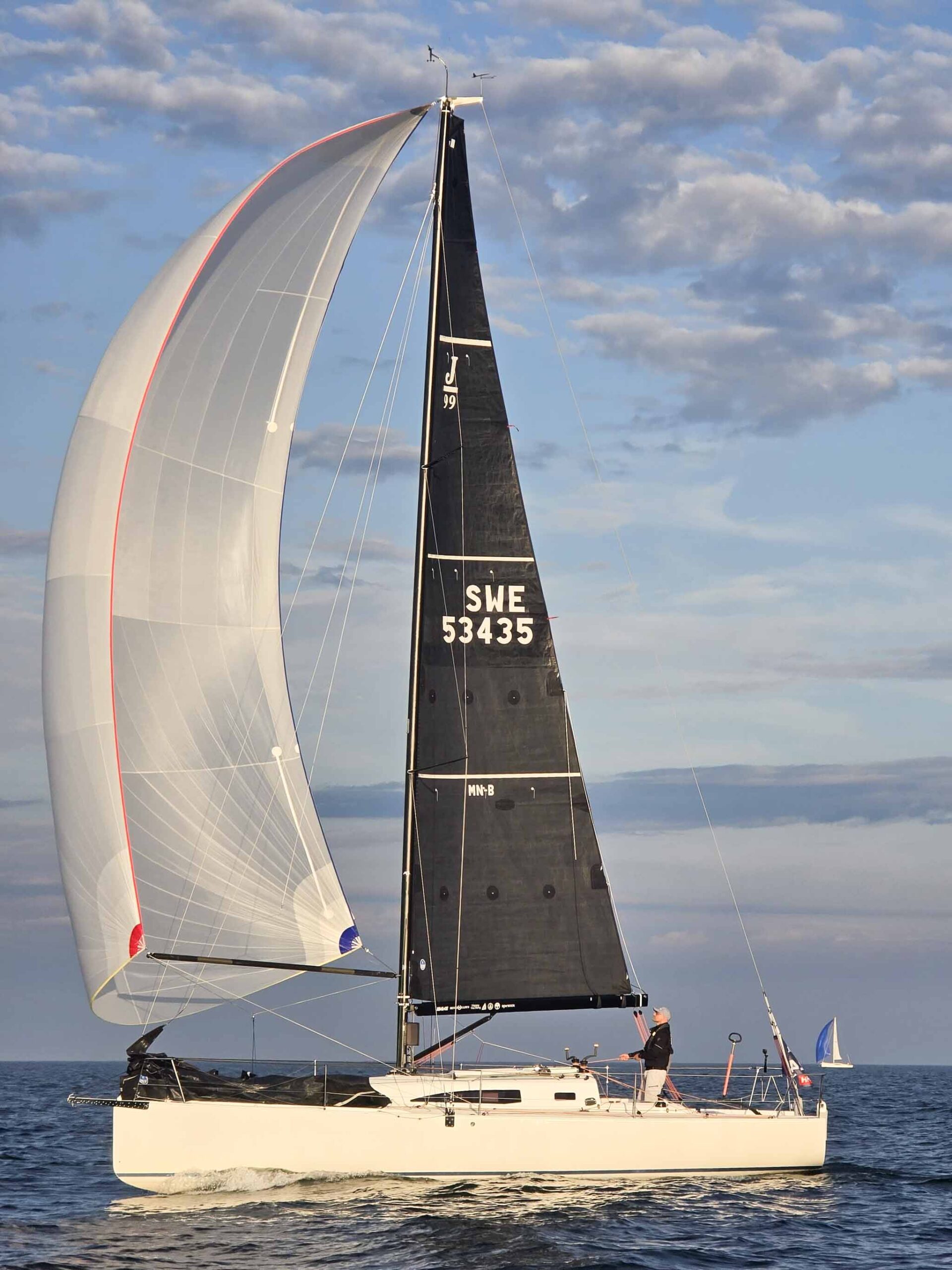
First long downwind leg of Gotland Runt. Life is pretty good.
S2-A
Material
Aerotech Coated Nylon N37–N32
Measurements
ISP / SPL = 14.31 / 4.60 m SLU = SLE = 14.44 m AMG / ASF = 7.65 / 7.64 m
Area
93.00 m² (ORC sym 92.03 m²)
Weight
5.4 kg
Details
ZipIt
Range
7–21 kt, TWA 135–172
The workhorse. On a J/99 with a sprit, a symmetric on the pole is still the fastest way downwind in 8–18 knots. We weren’t really sure when we got the boat, but naturally the French had done their homework. There’s a reason they put a pole on most boats this size.
We were super happy with the Incidence S2, but if there’s one thing North knows how to do, it’s runners.
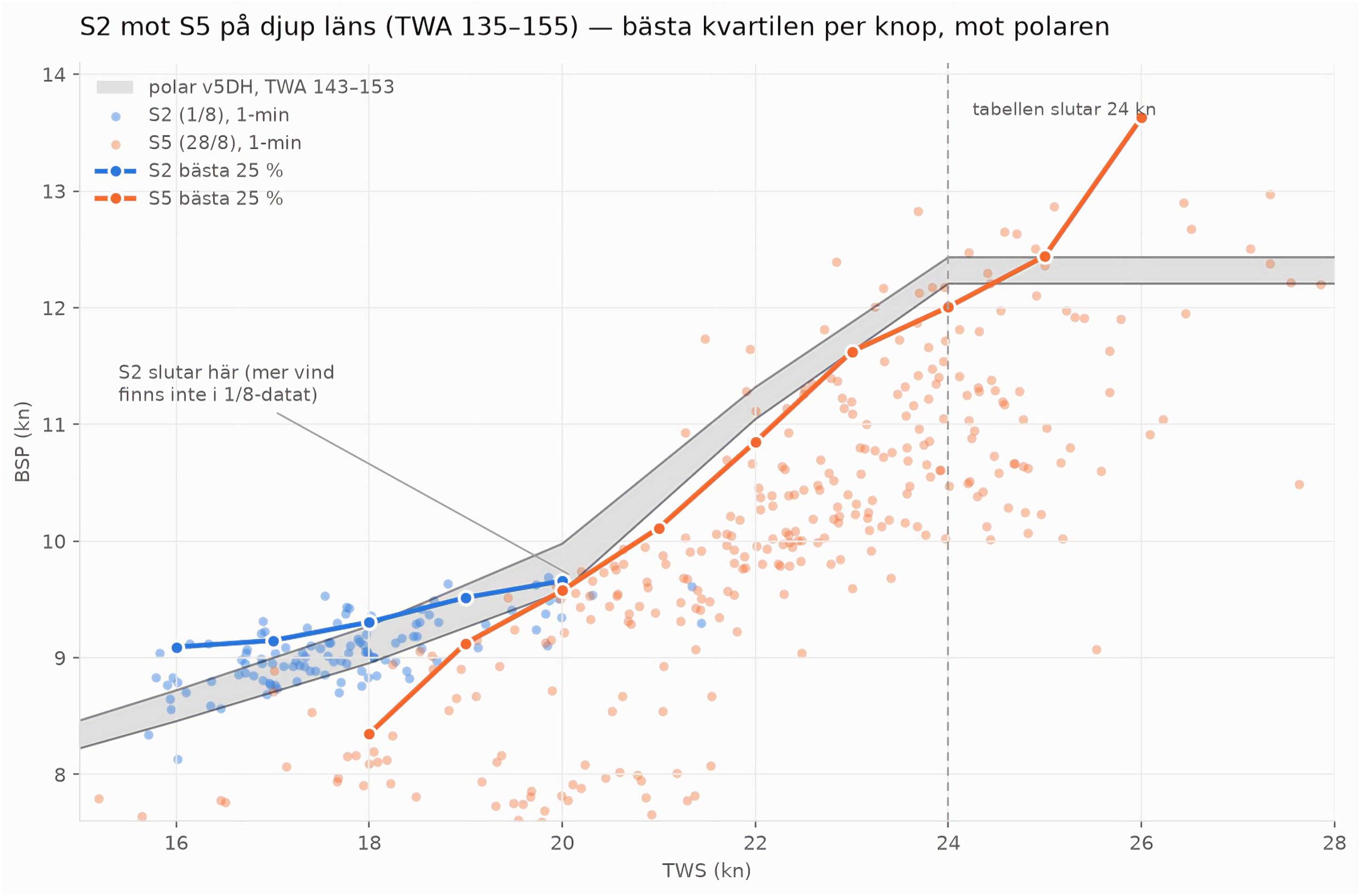
The data from the Baltic transport on 1 August (below) shows the median boat speed sitting on or above the polar from 16 to 19 knots, which is about as good as it gets doublehanded with an autopilot doing most of the steering.
Fractional, on the forestay height (13.21 m) SLU = SLE = 13.30 m AMG / ASF = 6.50 / 7.50 m
Area
72.00 m²
Weight
6.0 kg
Details
Trim chevrons, ZipIt
Range
18–37 kt, TWA 125–175
The chicken chute, except it’s meant to be raced. In 2025 we had a couple of races where we opted for the A5 above 20 knots, mainly W/L races with a few messy roundings. Offshore, where you get to pick a safe angle, we feel the S2 works higher up the range. But sometimes you want to take less risk while still keeping the average speed up.
Fractional hoist keeps the centre of effort low, N55 nylon means it survives being dragged through the water, and 72 m² is enough to keep the boat planing in 25 knots without the wipeouts. It’s also the backup if the S2 goes.
This shows two data sets, both at TWA 135–155: the S2 on our transport to Finland in 16–20 knots, and the S5 on 28 August in 19–26 knots. Best quartile per knot of TWS against our v5DH polar.
What it shows: at 20 knots the two sails are equal, both on the polar at about 9.6 knots. Below that the S2 is ahead, as it should be. Above 20 the S5 median sits under the polar until 23–24 knots, where the best quartile finally catches the target and then beats it. The polar table ends at 24 and freezes at 12.43, and the S5 data at 25–26 knots goes straight through that number.
So the honest reading is this: the S5 doesn’t sail to the polar in 20–23 knots, which suggests the S2 would be faster there if we dared. We have no S2 data above 20 because we’ve never left it up that long. That’s the experiment for next season. Somewhere between 20 and 24 there’s a crossover we haven’t found yet, and the answer probably depends more on sea state and how tired we are than on the sails.
Also, the ORC polar probably overstates our planing ability 😀
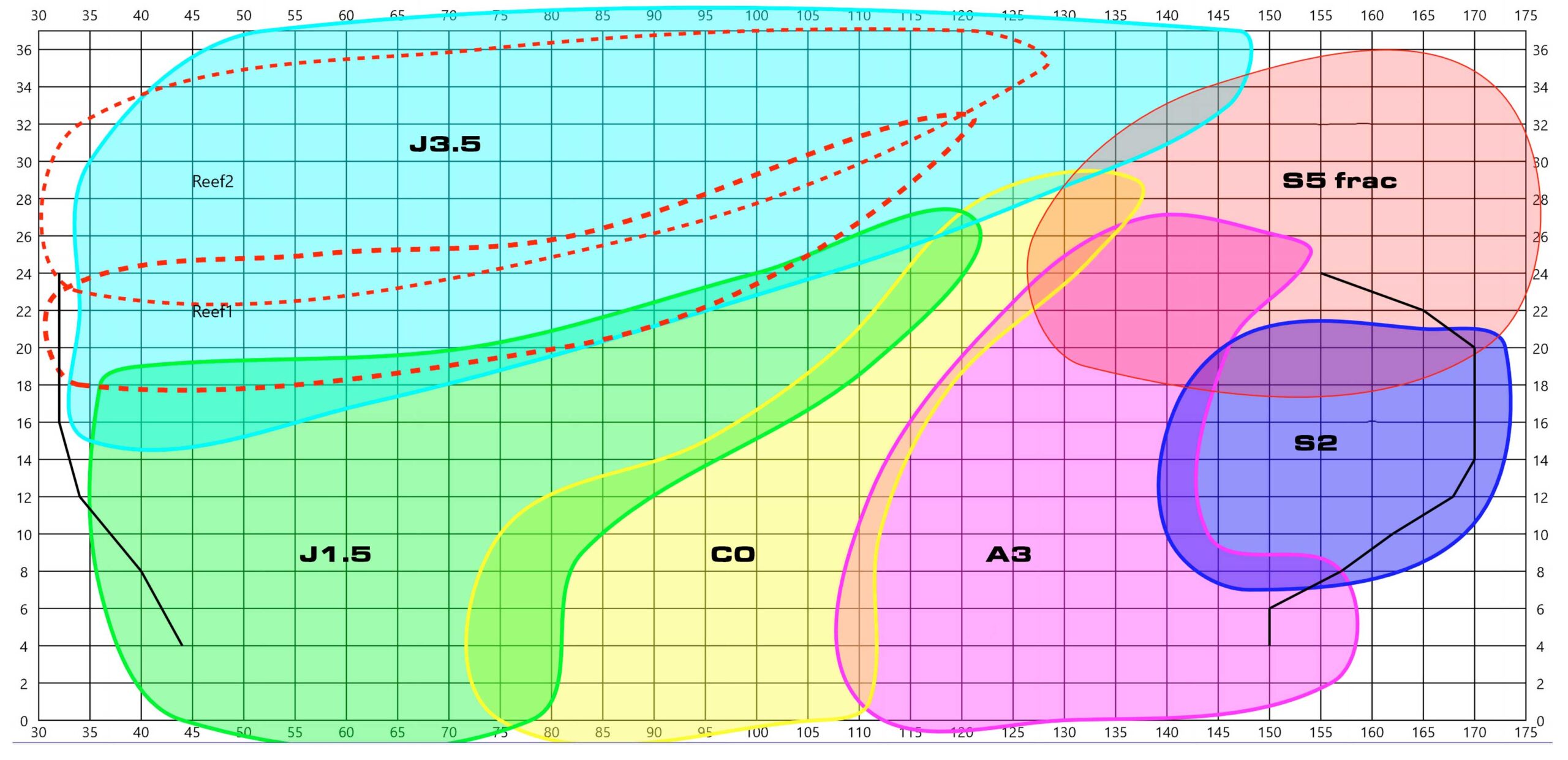
The sail chart
After a full season the chart is mostly confirmed. This sail chart is what we started out with in May, and it should be updated in the next few weeks. The overlaps turned out bigger than expected, which is exactly what we wanted. Plus we found some sweet spots:
The J1.5 works upwind in 20 knots.
The J3.5 works in 12 knots if the water is flat.
The S2 is still a great all-round sail that fits the J/99 very well.
The A3 works at much tighter angles in light air (TWA 100 in 4–6 knots). The C0 has the proper shape, but the A3 has the area.
The A3 works really well in light air VMG. The crossover to the S2 is probably around 7 knots.
The A3 has a real sweet spot at TWA 130–135 in 10–15 knots, where we get to use our stability.
The S5 does what it was supposed to do, and apparently has enough power to pitchpole the boat in a gust.
The one open question is when to use the S2 over 20 knots.
What’s next
We’re super happy with this setup, and feel we can be competitive in most conditions. Seven sails, no gaps we know of, and fewer sail changes than we’ve ever had on a race boat.
Naturally there are areas where we can improve. The S2 above 20 knots is the obvious one, and there are probably a few sweet spots we haven’t found yet. Having another J/99 for two-boat testing next year will help with both.
If you’re putting together a doublehanded inventory for a boat this size, the short version is this: fewer sails, more overlap, and let the rule you actually race under decide the edges.
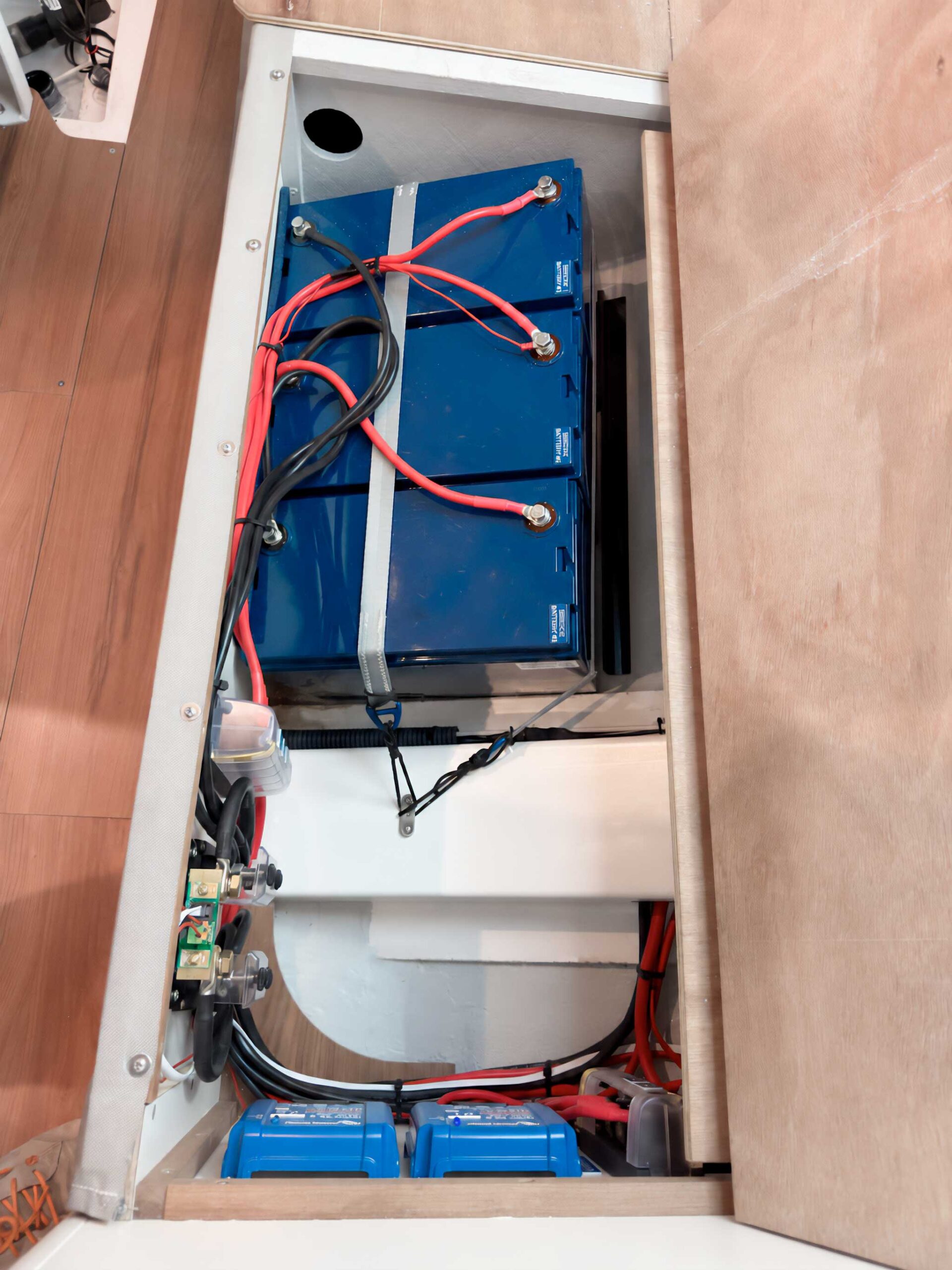
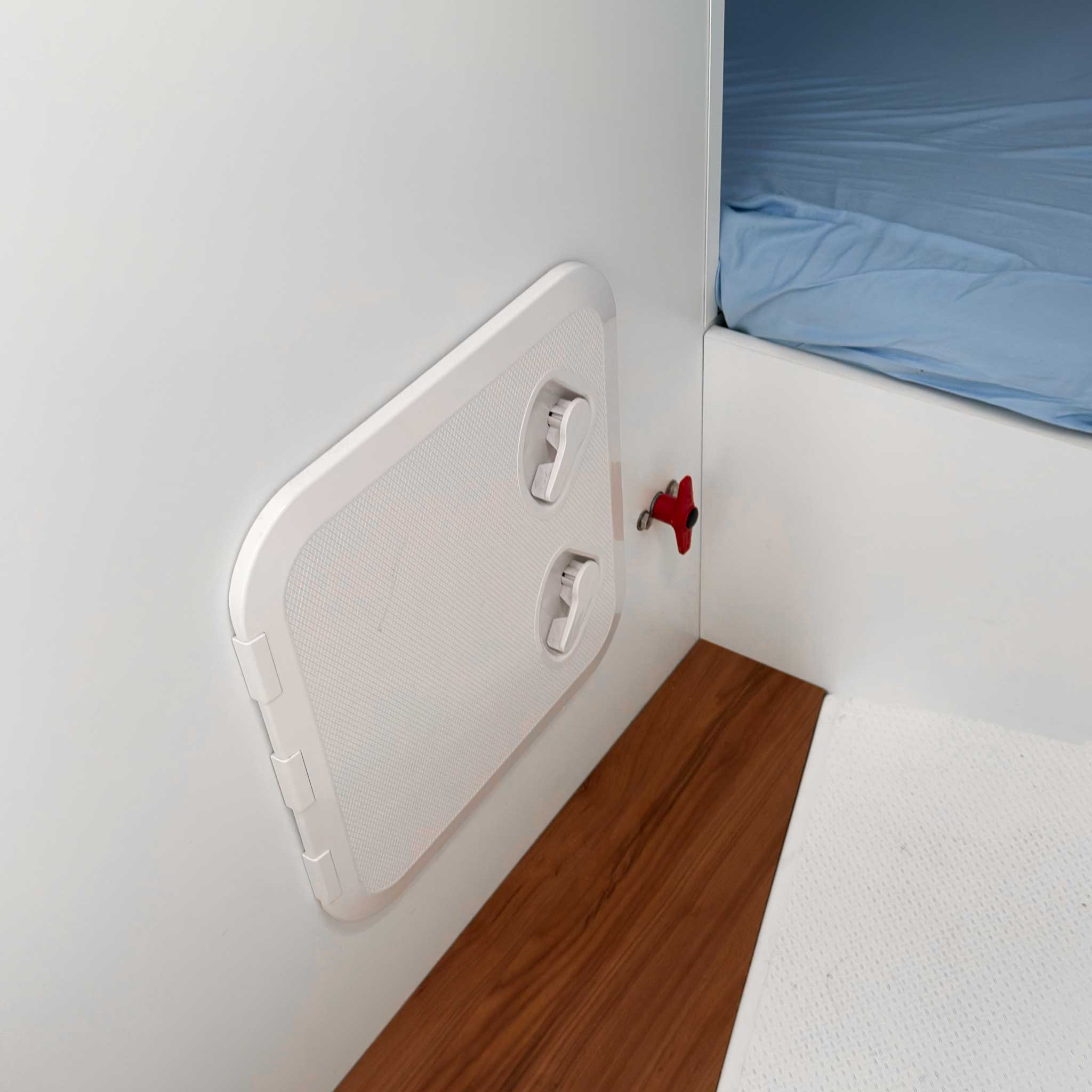
Notera att det är jag (och inte Alfred) som satt batterierna “snett” för att få ner tyngdpunkten. Hade han fått bestämma så hade det blivit en snygg liten hylla.
Skall man segla offshore, så är elsystem och batterier viktigt. Vi seglar ju typiskt race på 600 nm eller 4 dygn, och då behöver man tänka till lite extra;
Ofta har man ganska hög förbrukning då det är många saker igång samtidigt. Vår budget för ett 600 nm-race: autopilot 2–3 A (mer i sjö), plotter + instrument 1,5 A, laptop 2 A, kyl 2 A (cyklar), nav-ljus nattetid 1 A, AIS/VHF 0,5 A. Snitt runt 7 A, alltså ~170 Ah per dygn.
Man vill inte ladda för ofta, och när man laddar måste man få i mycket ström i batterierna. Vi kan tycka det är ok att ladda morgon och kväll, men det får inte vara hela världen om man skjuter upp det. Med litium kan man använda i stort sett hela kapaciteten, så 300 Ah ger dryga 24 timmar utan laddning. Motsvarande buffert med AGM hade krävt ~600 Ah, eftersom man bara bör ta ut hälften.
Man behöver ha koll på läget. Det får inte komma som en överraskning att batterierna är tomma, eller om det som finns kvar räcker i mål.
Ofta gör man detta för att spara vikt, men nu har vi en båtvikt som passar bra i IRC och batterierna är på rätt ställe. Totalt sett sparade vi 18 kg på förbrukningsbatterierna (vilket så klart meddelades i SRS-ansökan).
Vi gjorde ju ett jobb på J/111, där Tymar på Bullandö hjälpte oss att uppgradera till ett system som funkade bra i 10 år. Men det har ju hänt en del sedan dess, så det var kul att göra om samma resa med Alfred på Göteborgs Båtelektriska.
De stora skillnaderna:
Man kan få en helhet från ett välrenommerat märke som Victron.
Mjukvaran i telefonen som kopplar upp sig mot alla delar med bluetooth är mycket bättre.
Det är lättare att styra hur mycket kräm man tar ur generatorn. På J/111 maxade vi 85 A utan problem, men nu är vi lite mer konservativa och tar ut 60-70 A.
Vi kan nu få upp både SOC (State of Charge) och Current (hur mycket vi drar) på plottern i sittbrunn vilket känns tryggt. Och BMV-712 kan fortfarande larma när vi har 20% kvar.
Denna gång har vi också valt att behålla startbatteriet. På J/111 körde vi allt från samma bank, men nu är vi inte riktigt lika viktkänsliga + att säkerhetsreglerna kräver ett separat batteri.
Komponenter
Batterier
Komponent
Vad den gör
3 × Victron Lithium SuperPack 12,8 V / 100 Ah
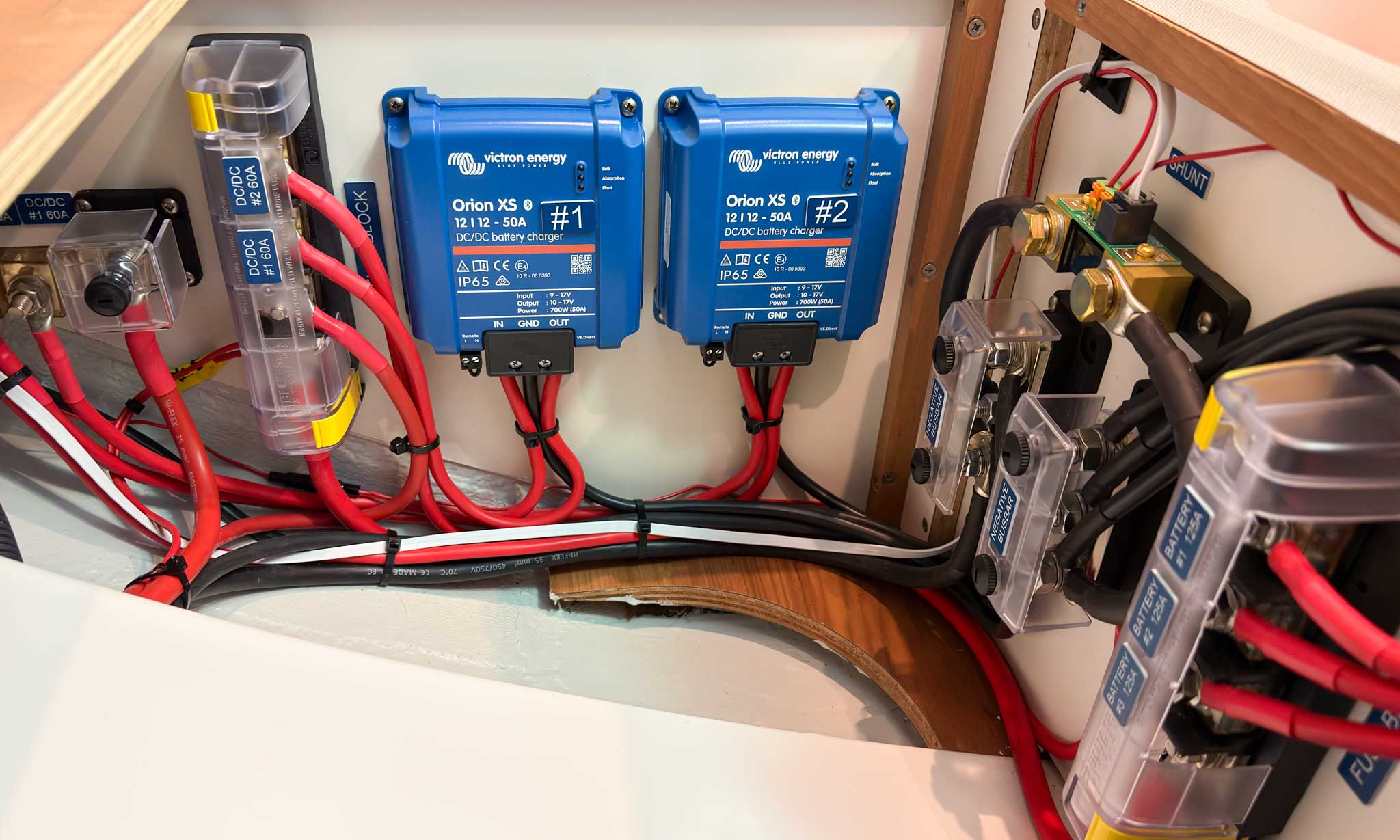
LiFePO4 med inbyggd BMS och säkerhetsbrytare. 150 A maxström så de kan ej rusa iväg. Drop-in, ingen extern BMS eller reläer. Tre parallellkopplade ger 300 Ah husbank med redundans om ett pack stänger av. Cirka 12 kg styck. (länk)
Övervakning
Komponent
Vad den gör
Victron BMV-712 Smart
Batterimonitor med display vid navbordet. Räknar Ah in och ut via shunten och visar SOC, ström, spänning och tid kvar. Programmerbart larm, hos oss vid 20 %. Bluetooth till telefon. (länk)
Victron SmartShunt 300 A
Shunten som mäter all ström till och från husbanken. Sitter i minusledaren närmast batteriet. Bluetooth och VE.Direct-utgång. 300 A räcker gott för en 12 V-bank utan bogpropeller eller vinschar. (länk)
Victron VE.Direct till NMEA 2000-interface
Skickar SOC och ström från shunten ut på NMEA 2000-nätet så att de visas på plottern i sittbrunnen. (länk)
Laddar husbanken från generatorn via startbatteriet. Litium drar all ström generatorn kan ge tills den överhettar; Orion XS begränsar till 50 A styck (100 A totalt), skyddar generatorn och ger rätt laddprofil för LiFePO4. Skapar också redundans. (länk)
Victron Blue Smart IP22 12/30 A
Landströmsladdare med litiumprofil. 30 A ger 20→100 % på ungefär 8 timmar. Bluetooth för inställning. (länk)
Säkringar och fördelning
Komponent
Vad den gör
2 × Blue Sea 5196 MRBF Fuse Block, 3 kretsar
Säkringsblock direkt på batteripol som matar tre kretsar med var sin MRBF-säkring. Kortslutningsskydd så nära källan som möjligt, viktigt med litium eftersom kortslutningsströmmen är mycket hög. (länk)
Blue Sea 2151 MRBF Fuse Block, dubbel
Hållare för två MRBF-säkringar på samma pol. (länk)
Själva säkringarna, en per krets. Brytförmåga 10 000 A vid 14 V, tändskyddade, färgkodade med siktfönster. Monteras alltid i block, aldrig direkt på polen. (länk)
TBS Electronics kopplingsplint 3×M10
Samlingsskena för huvudkablarna från batterierna. (länk)